The best wireless earbuds for Android are not always the most expensive pair or the ones with the longest feature list. They are the earbuds that connect reliably, stay comfortable during a full workday, handle calls clearly, and fit the way you actually use your phone. A commuter, remote worker, and runner can all need different things from the same category.
Android buyers also have more choice than they did a few years ago. Samsung, Google, Sony, Bose, Jabra, Nothing, Anker, and other brands offer strong options from roughly $50 to more than $250. The useful question is not which pair wins every category. It is which pair creates the fewest daily annoyances for your routine.
What Android users should check first
Start with compatibility, not noise cancellation. Any modern Bluetooth earbuds should work with an Android phone, but the experience can differ significantly. Samsung Galaxy Buds tend to make the most sense for Galaxy phone owners because features such as device switching and advanced controls are closely tied to Samsung's ecosystem. Google Pixel Buds are similarly convenient for people who already use Pixel phones and Google services.
Sony, Bose, Jabra, Nothing, and Anker models usually offer broader compatibility through their companion apps. Check whether the app is available on your phone, whether the earbuds support the controls you want, and whether firmware updates require an account. A pair that technically connects but loses useful features outside its preferred ecosystem is not one of the best wireless earbuds for Android for every buyer.
Look for multipoint Bluetooth if you move between a phone and a laptop. This lets compatible earbuds stay connected to two devices, although automatic switching is not always perfect. If you take frequent calls, also check independent microphone tests rather than trusting phrases such as studio-quality voice.

Best wireless earbuds for Android by routine
For commuting and travel, Sony's WF-1000XM5 is a premium option with strong active noise cancellation, detailed sound, and a useful app. Bose QuietComfort Ultra Earbuds are another choice for listeners who prioritize powerful noise reduction and a spacious presentation. Both are expensive, and their larger cases and fit will not suit everyone.
For Samsung phone owners, Galaxy Buds3 Pro are the obvious ecosystem pick when the shape fits your ears. Their controls, integration, and charging options are convenient within the Galaxy family. Pixel Buds Pro 2 are a sensible match for Pixel users who want Google Assistant access, comfortable everyday wear, and a compact design.
For value, Anker Soundcore Liberty models often provide a lot of hardware for about $70 to $150, depending on the version and sale price. Nothing Ear models are worth a look if you care about a distinctive design, adjustable sound, and a clean companion app. They are not automatically better than Samsung or Sony, but they can avoid paying for features you will never use.
Here is who each type makes sense for. Premium Sony or Bose earbuds fit frequent flyers and people who spend hours in noisy offices. Galaxy Buds fit Samsung households. Pixel Buds fit people already invested in Google's services. Anker and Nothing fit shoppers who want capable basics without crossing the $200 mark.
Comfort matters more than one extra feature
Earbuds can sound excellent in a store and become a mistake after forty minutes. Fit affects bass, noise cancellation, stability, and your willingness to wear them. Most useful packages include several silicone tip sizes, but the largest tip is not automatically the best seal. Try each size and gently twist the earbud into place instead of forcing it deeply into your ear.
For workdays, weight and pressure matter more than dramatic bass. A lighter model can disappear during a two-hour podcast, while a heavy stem or oversized housing can become irritating by lunch. For running or gym sessions, look for a stable fit and some water resistance. An IPX4 rating can handle sweat and splashes, but it does not make earbuds safe to submerge. Wipe them after workouts and keep the charging case dry.
If you wear glasses, a hat, or earrings, test how the earbud interacts with those items. Comfort is personal, so a return policy is part of the buying decision. The best wireless earbuds for Android are the ones you still reach for on an ordinary Tuesday, not just the pair that impresses you during a five-minute demo.

Sound, calls, and noise cancellation
Sound quality is partly taste. Sony often gives listeners extensive equalizer control, Bose emphasizes an energetic presentation and strong noise reduction, while Samsung and Google aim for a balanced experience that works well with their phones. An equalizer can improve a pair, but it cannot fix a poor fit or a weak microphone.
Active noise cancellation is most useful for steady sounds such as airplane engines, HVAC systems, and highway traffic. It is less reliable against sudden voices, nearby conversations, or a barking dog. Transparency mode matters just as much for office life because it lets you hear a coworker without removing both earbuds.
Call quality deserves a separate test. Take a call outdoors, near a busy road, and inside a quiet room. Some earbuds sound clear to the wearer but send muffled audio to everyone else. If your job involves frequent meetings, prioritize microphone performance and multipoint before chasing a tiny improvement in musical detail.
Battery life and charging habits
Most current wireless earbuds provide several hours per charge, with the case extending total listening time into the twenties or thirties. Noise cancellation, high volume, phone calls, and weather can reduce those numbers. A pair rated for eight hours may deliver less during a busy day, so leave practical headroom rather than planning around the maximum claim.
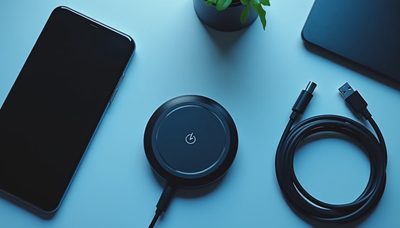
USB-C charging is now the sensible baseline. Wireless charging is convenient if your desk already has a pad, but it should not determine your purchase. Check how quickly a short charge restores playback. A ten-minute top-up that gives you an hour or more can be more useful than a larger theoretical battery.
Battery aging is unavoidable. After a few years, the earbuds may hold less charge even if the case remains healthy. Paying $250 instead of $100 does not guarantee a longer ownership period. Buy the features you will use repeatedly, and protect the case from extreme heat.
How to choose without overbuying
Set a real budget before opening review pages. Under $80, focus on stable Bluetooth, comfortable tips, dependable controls, and acceptable microphones. Around $100 to $180, you can usually add better noise cancellation, stronger apps, and more refined sound. Above $200, you are paying for meaningful improvements in isolation, materials, tuning, and ecosystem features, not a universally better experience.
Then write down your two biggest problems. If your current earbuds fall out, prioritize fit. If subway noise ruins podcasts, prioritize noise cancellation. If laptop calls are frustrating, prioritize multipoint and microphone quality. If your phone battery is already stretched, do not choose a model that demands a complicated app running constantly in the background.
The best wireless earbuds for Android should solve those problems without adding new friction. Compare return policies, test every ear tip, update the firmware, and spend a full week using the pair for music, calls, walking, and charging. Buy for how you live, not for how it looks on the spec sheet. That approach will usually save more money than upgrading twice after buying the wrong fit.