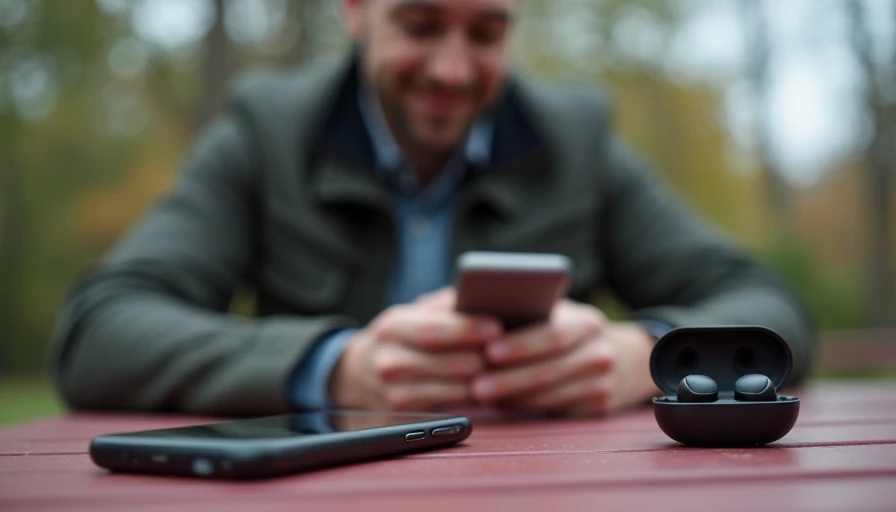
Finding the best wireless earbuds for android 2025 is less about chasing the longest feature list and more about matching earbuds to your daily routine. A commuter needs stable Bluetooth and strong noise cancellation. Someone taking calls from a kitchen table needs clear microphones. A runner needs a secure fit, while a traveler may care most about battery life and a compact charging case.
Android gives you plenty of choice, but that choice can make buying harder. Some earbuds work beautifully with Google phones but lose useful features on Samsung devices. Others advertise impressive audio hardware yet feel uncomfortable after 30 minutes. I look at these products the same way I look at chargers and power banks: buy for how you live, not for how it looks on the spec sheet.
The best wireless earbuds for android 2025 depend on your routine
For most Android users, the safest starting point is a pair with multipoint Bluetooth, an app with a reliable equalizer, USB-C charging, and at least four hours of listening per charge. Multipoint lets you connect to two devices, such as a work laptop and a phone, without repeatedly opening Bluetooth settings. That small convenience becomes valuable when your workday includes video calls, music, and quick phone conversations.
Samsung Galaxy Buds3 Pro makes the most sense for people already using a recent Galaxy phone. Its strongest advantage is the way Samsung devices can share settings and work together, rather than a universal leap in sound quality. Google Pixel Buds Pro 2 is a natural fit for Pixel owners who want Google Assistant access, comfortable everyday listening, and useful noise control. These pairings are convenient, but they should not automatically decide your purchase.
For a broader Android audience, Sony, Bose, Jabra, Nothing, and Anker Soundcore offer compelling alternatives. Sony earbuds often provide detailed sound and effective noise cancellation, while Bose is known for comfortable designs and strong noise reduction. Soundcore usually competes aggressively on price. Here’s who this makes sense for: shoppers who want a useful feature set without paying flagship pricing simply because a logo is familiar.
Sound, noise cancellation, and comfort matter more than numbers
Codec support can look important in a product description, but it is rarely the first thing I would use to choose earbuds. LDAC and other high-quality codecs can help compatible phones and music services, yet they do not fix a poor seal, weak tuning, or uncomfortable ear tips. A good fit often makes bass sound fuller and outside noise easier to block.
Active noise cancellation is valuable on buses, airplanes, and busy offices, but it is not equally useful for everyone. If you mostly listen at home, paying an extra $100 for stronger cancellation may not improve your day. Transparency mode can matter more because it lets you hear a coworker, a train announcement, or a conversation without removing an earbud.
Comfort deserves a full test rather than a quick impression in a store. Earbuds that feel light for five minutes can create pressure during a two-hour flight. Look for multiple ear-tip sizes, a shape that does not press against the outer ear, and a case that fits easily in a pocket. The best wireless earbuds for android 2025 should disappear into your routine instead of becoming another object you constantly adjust.
Strong picks at different budgets
At the premium end, Bose QuietComfort Ultra Earbuds and Sony WF-1000XM5 are aimed at buyers who prioritize noise cancellation, sound customization, and refined companion apps. They can cost around $250 to $300 at regular pricing, although sales often reduce that gap. Choose Sony if you enjoy adjusting sound and settings. Choose Bose if comfort and blocking outside noise are higher priorities.
The $120 to $200 range is where many shoppers find the best balance. Google Pixel Buds Pro 2, Samsung Galaxy Buds3 Pro, and Jabra Elite models have each targeted this space with different strengths. Check current model compatibility before buying, especially if you use an older Galaxy or Pixel phone. Some functions, such as device-specific audio features, do not carry over equally to every Android brand.
Below $100, Anker Soundcore Liberty models, Nothing Ear a, and select JBL or Sony options can make sense. You will usually give up some microphone quality, case polish, or noise-cancellation performance, but not necessarily basic enjoyment. The best wireless earbuds for android 2025 are not automatically the most expensive pair; a $79 model that stays comfortable can beat a $299 model left in a drawer.
What to check before placing the order
Start with the return policy. Earbud comfort is personal, and a generous return window gives you time to test a full workday, a phone call, and a walk. Next, check whether the companion app supports your Android version. An app that cannot save settings or update firmware turns a promising pair into a frustrating one.
Battery claims also need context. Manufacturers typically quote listening time with certain settings disabled, while noise cancellation and high volume can reduce runtime. A case that provides two or three additional charges is more useful than an impressive single-session number. Fast charging is another practical feature: ten minutes in the case can rescue a commute when you forgot to charge overnight.
Pay attention to call performance. Ask whether the earbuds use multiple microphones and wind reduction, then read reviews that discuss calls outdoors rather than only music. If you spend hours in Google Meet, Zoom, or Microsoft Teams, clear voice pickup can matter more than a slightly wider soundstage. For the best wireless earbuds for android 2025, daily reliability should outrank a specification that you will never notice.
Setup habits that prevent common Android frustration
After pairing, install the manufacturer’s app and update the earbuds before judging them. Updates can improve connection behavior, microphone performance, and battery reporting. Rename the earbuds clearly if you switch between personal and work devices. Then test multipoint with the devices you actually use; advertised compatibility does not guarantee that every laptop handles switching smoothly.
Create an equalizer preset instead of accepting a harsh default sound. A small reduction in treble can make podcasts easier to follow, while a modest bass increase can add energy to electronic music. Avoid turning the volume up to compensate for a loose fit. Try another ear tip first, because a better seal often improves both sound and noise isolation.
If you use earbuds for exercise, confirm their water-resistance rating and remember that sweat protection is not the same as waterproofing. Do not charge a wet case or wet earbuds. For travel, keep the case in an accessible pocket and enable the phone’s battery widget so you notice low charge before boarding.
My buying recommendation
For a Galaxy owner, start with Galaxy Buds if the price is reasonable and the fit works for you. For a Pixel owner, Pixel Buds Pro 2 is an easy place to begin. For mixed-device households, Sony, Bose, Jabra, Nothing, and Soundcore deserve a closer look because they are less tied to one phone brand.
The best wireless earbuds for android 2025 should fit your ears, switch reliably, handle your most common calls, and last through the part of the day when you actually need them. Spend more for comfort and dependable noise control, not for a spec-sheet feature you cannot use. Compare current prices, confirm the return policy, and choose the pair that removes friction from your routine. That is a smarter upgrade than buying the flashiest model and hoping it fits.