The best wireless earbuds for battery life are not automatically the pair with the biggest number on the box. A long-lasting set also needs a useful charging case, dependable Bluetooth, comfortable fit, and controls you will actually use. A claimed 10-hour runtime means little if the earbuds hurt after 45 minutes or the case is too bulky for your pocket.
For most people, the smart target is at least six hours from the earbuds and roughly 24 to 30 hours with the case. That covers a commute, a workday of calls and music, or several gym sessions before you need a wall outlet. If you travel often, work outdoors, or simply hate charging small devices, stepping up to a model with eight to 12 hours per charge can make sense.
What Battery Life Numbers Really Mean
Earbud battery claims usually come from controlled testing with features such as active noise cancellation turned off. In daily use, louder volume, phone calls, transparency mode, spatial audio, and frequent reconnections can reduce that figure. An advertised eight hours might feel closer to six or seven during a busy day.
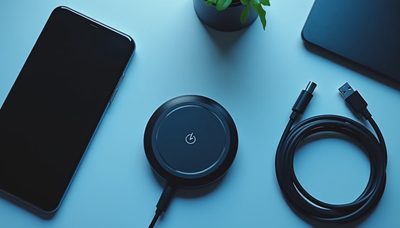
The case matters just as much. A pair that lasts eight hours but gets only two additional charges from its case may be less convenient than a six-hour pair with four full recharges. Look for the total system rating, not just the number printed beside the earbuds. USB-C charging is now the practical minimum, while wireless charging is useful if your phone or desk already supports it.
Some brands also provide a quick-charge feature. Five or 10 minutes in the case can deliver enough listening time for a commute or conference call. That feature often helps more than an extreme maximum runtime because most people forget to charge at least occasionally.
Strong Battery Choices for Different Routines
The Sony WF-1000XM5 is a strong choice for commuters who want effective noise cancellation and a premium listening experience. Its battery performance is solid rather than class-leading with every feature enabled, but the case is compact and the sound controls are flexible. This is a good fit when reducing train, airplane, or office noise matters as much as battery endurance.
The Jabra Elite 8 Active Gen 2 makes more sense for workouts and outdoor use. Its secure fit and durable design are more important than chasing the absolute highest runtime. A runner who needs earbuds to stay put may get more practical value from a slightly shorter session than from a loose model that must be adjusted every few minutes.
For iPhone owners, the AirPods Pro line remains convenient because pairing, device switching, and battery checks work smoothly within the Apple ecosystem. Its battery life with noise cancellation is respectable, but it is not the obvious winner for someone who wants marathon listening sessions. Apple users who prioritize endurance over compactness should compare larger over-ear options as well.
Android users have more flexibility. The Samsung Galaxy Buds3 Pro can be a sensible match for Galaxy phone owners who value integrated controls and features, while the Soundcore Liberty 4 NC usually appeals to budget shoppers who want strong everyday battery value. Soundcore models often provide generous case capacity, though app polish and microphone performance can differ from premium competitors.
The Best Wireless Earbuds for Battery Life by Use Case
For a daily office routine, prioritize comfort, microphone quality, and quick charging. You may listen for only two hours but spend six hours in calls, transparency mode, and short breaks. The best wireless earbuds for battery life in this situation should switch reliably between a computer and phone, because connection failures create more frustration than plugging in once a week.
For travel, choose a case that can deliver several recharges and consider noise cancellation carefully. Noise cancellation uses additional power, but it can let you listen at a lower volume on a plane or bus. Bring a short USB-C cable in your travel pouch rather than relying on a full-size charger. A 15-minute top-up at an airport can rescue a long trip.
For exercise, fit comes first. Earbuds that use ear hooks, wings, or a secure nozzle can prevent battery waste caused by repeatedly removing and reseating them. Sweat resistance is also important, but remember that water resistance is not the same as waterproofing. Avoid charging wet earbuds, and let both the earbuds and case dry before closing them inside.

How to Get More Hours From Any Pair
Start by turning off features you do not need. Active noise cancellation, high-volume playback, immersive audio, and constant voice-assistant detection can all shorten runtime. If you are working in a quiet room, transparency mode may be unnecessary. Lowering volume modestly also helps and is easier on your hearing.
Keep the charging contacts clean. Pocket lint, skin oils, and dust can stop an earbud from making a full connection inside the case. Wipe the contacts with a dry microfiber cloth, then confirm that the case indicator shows both earbuds charging. Also install firmware updates when they are stable; manufacturers sometimes improve power management, though updates can occasionally change feature behavior.
Battery capacity naturally declines over years of use. If a pair that once lasted eight hours now lasts three, changing settings will only help so much. Replacing the earbuds may be more sensible than buying an expensive replacement case, especially when a newer model adds better microphones, USB-C, and stronger device switching.
What to Check Before You Buy
Read the fine print around battery testing. Ask whether the quoted number includes active noise cancellation, and check whether it refers to one earbud or both. Some earbuds support independent use, allowing one side to charge while the other plays. That can nearly double practical listening time for podcasts, calls, and desk work.
Check case size, too. A case with a large battery may be inconvenient in slim jeans or a small work bag. Wireless charging is pleasant but can add cost, so skip it if you already carry a cable. Also compare warranty terms and replacement availability. A discounted model is not a bargain if a lost earbud cannot be replaced reasonably.
If possible, buy from a retailer with a clear return policy. Ear shape differs, and no review can predict whether a particular tip will seal comfortably for you. The right pair should disappear during normal use instead of becoming another device you manage all day.
The Practical Buying Decision
The best wireless earbuds for battery life depend on the hours you actually spend listening. A commuter may need eight hours and a compact case, while a desk worker may benefit more from reliable multipoint connections and a comfortable fit. A traveler should look for several case recharges, and an athlete should put stability and sweat protection ahead of flashy audio modes.
My practical starting point is a model offering at least six hours with your preferred features enabled and 24 hours total from the case. Spend more only when you need better noise cancellation, stronger microphones, wireless charging, or a more secure fit. Buy for how you live, not for how it looks on the spec sheet. That approach usually delivers more useful battery life and fewer regretted upgrades.