The question comes up every time a new phone launches: “Should I upgrade?” Most people feel the pull, but very few can point to a specific daily problem their current phone is causing. After eleven years in consumer electronics retail, I heard that question thousands of times. The customers who made the best decisions were not the ones who upgraded every year. They were the ones who waited until the phone failed at something they actually needed it to do.
Knowing when to replace your phone is less about comparing specs and more about noticing which parts of your daily routine have become harder. A phone that is slow to open a map when you are already late, or one that dies before your commute home, is sending you a signal. A phone that simply is not the newest model is not. The difference matters, and it usually saves you money.
The Real Signals That It Is Time to Replace
There are a handful of concrete signs that a phone is no longer holding up its end of the deal. These are not about specs or benchmarks. They are about daily friction that repeats often enough to become a real problem.
Battery Life No Longer Matches Your Routine
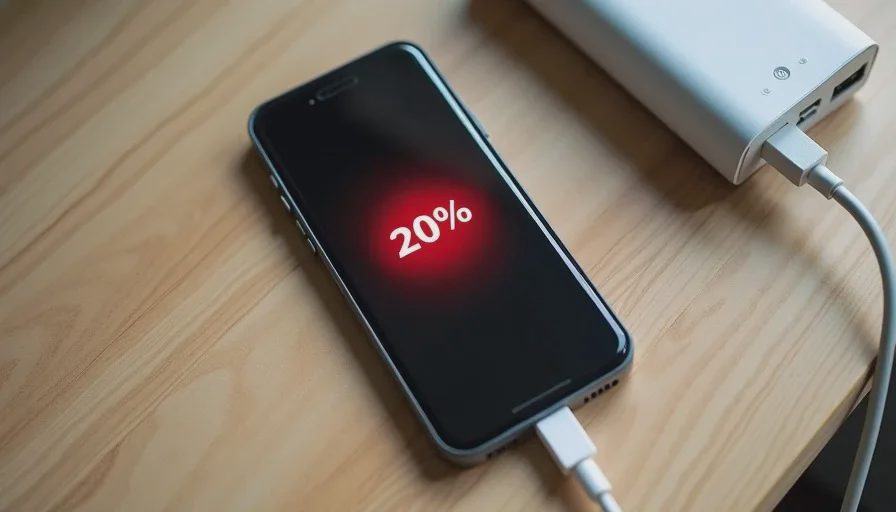
The clearest signal is battery life. If your phone cannot get through a normal day without a mid-afternoon charge, and your routine has not changed dramatically, that is a practical failure. You should not have to plan your day around outlets. A phone that dies during navigation, a work call, or a commute is not doing its job.
Battery degradation is gradual, so you might not notice it until a specific moment. Maybe you used to leave the house with 80% and now you leave with 80% and still worry. When the worry becomes consistent, the phone has stopped matching your routine.
Performance Affects Basic Tasks
Some slowdown is normal over time, but there is a difference between a slight pause and a phone that stutters when opening messages or switching between apps. If basic tasks—calling, texting, using maps, taking photos—become frustrating, the phone is getting in the way.
I am not talking about gaming performance or heavy multitasking. I mean the everyday actions you do without thinking. When those start to lag, the phone is telling you something.
Storage Is Constantly Full and You Are Managing Files Weekly
Every phone fills up eventually. But if you are deleting photos, clearing app caches, and uninstalling apps every week just to keep the phone working, that is a maintenance burden you did not sign up for. A phone should not require weekly digital housekeeping to function.
Cloud storage and streaming can help, but some phones have base storage that is simply too small for modern app sizes and photo libraries. If you are constantly fighting the storage meter, it may be time for a model with more room—or a more disciplined approach to what you keep.
Hardware Is Damaged in a Way That Affects Use
A cracked screen is not always a reason to replace a phone, especially if it is just cosmetic. But if the crack interferes with touch response, spreads across the display, or lets dust and moisture in, it becomes a functional problem. The same applies to a broken charging port, a speaker that cuts out, or buttons that no longer respond consistently.
Repair is often cheaper than replacement, so this is not a default reason to upgrade. But if the repair cost approaches the value of the phone, or if multiple hardware pieces are failing at once, replacing may be the smarter move.
Software and Security Updates Have Stopped
This one is easier to define. When a phone no longer receives security updates, it becomes a risk. You do not need to upgrade the day support ends, but you should not keep using an unsupported phone for years. Security updates protect your data, your accounts, and your daily transactions. Once they stop, the phone is no longer safe to use as a primary device.
The timing varies by manufacturer. Some offer five or more years of support; others stop much sooner. If your phone is several years old and the update page is quiet, check the official support window before making a decision.
The False Signals That Make You Want to Upgrade
Most upgrade urges are not based on real problems. They are based on exposure to marketing, social pressure, and the natural desire for something new. Recognizing these false signals is just as important as recognizing the real ones.
A New Model Was Announced
The launch event is designed to make your current phone feel old. The new model is always “faster,” “smarter,” and “better.” But for most people, the improvements are incremental. If your current phone does everything you need, a new model does not change your life. It changes the number on the back.
I saw this pattern constantly in retail. A customer would come in the week after a launch, not because their phone was failing, but because they felt behind. A week later, they were often back with buyer’s remorse. The phone was fine, but the money was gone.
Your Battery Health Percentage Dropped
Battery health percentages are useful as a rough guide, but they are not a replacement for real-world experience. A phone at 85% battery health might still last all day for a light user. A phone at 90% might feel terrible for a heavy user. The number is not the decision. The routine is the decision.
Do not replace a phone just because a settings menu shows a lower percentage. Replace it when the battery no longer supports how you actually use the phone.
Friends or Family Upgraded
This is a subtle pressure, but it drives more upgrades than most people admit. When someone you know gets a new phone, it can make your own device feel older. But their needs are not your needs. Their budget is not your budget. Their phone is not your phone.
The person who upgrades every year and the person who upgrades every four years can both be making smart decisions. The difference is whether the upgrade matches their actual use.
What I Learned From the Sales Floor
Most people do not need a new phone as often as the upgrade cycle suggests. I watched customers trade in perfectly good phones because a salesperson emphasized the trade-in value rather than the phone’s remaining usefulness. The pitch was always “now is the best time to trade,” but the best time for the customer was rarely that day.
The customers who came back happy were the ones who made a list of what their current phone could not do before they walked in. They knew the battery was dying by 2 p.m. They knew the storage was full. They knew the camera failed in low light. They were buying a solution, not an upgrade.
The customers who came back unhappy were the ones who bought because the new model looked nice and their old phone “felt slow.” A week later, the new phone also felt normal, and the old problems were replaced by a larger monthly payment.
A Simple Decision Checklist
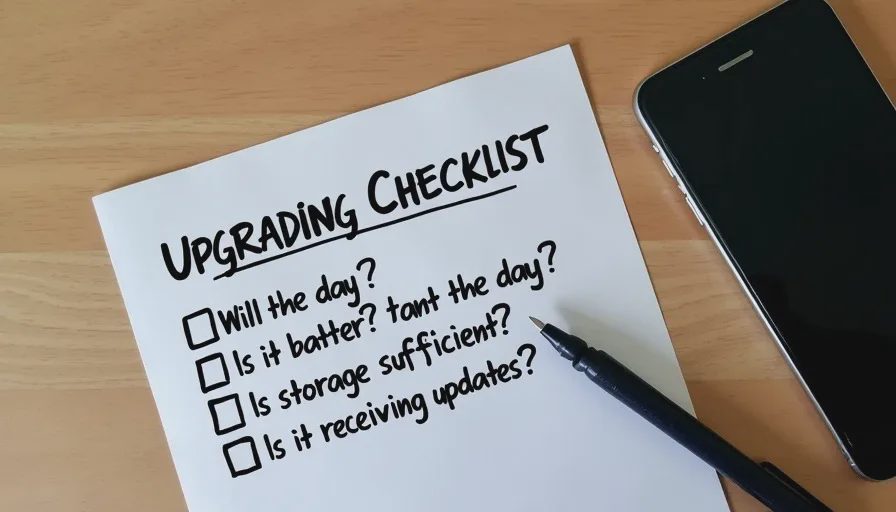
Before you replace your phone, ask yourself these questions:
Does the battery last through a normal day without a mid-day charge?
Can you open and use your most common apps without consistent lag?
Do you have enough storage to take photos, download apps, and update software without weekly cleanup?
Is the phone physically intact and safe to use?
Are you still receiving security updates?
What specific problem will a new phone solve that your current phone cannot?
If the answers to the first five questions are mostly yes, you do not need a new phone. If the answer to the last question is vague, you are upgrading for the wrong reasons.
The Timing That Actually Makes Sense
There is no universal answer for when to replace a phone. A heavy user who travels constantly and relies on the camera for work may need to upgrade more often than a light user who mostly calls, texts, and browses. The right timing is not based on the calendar. It is based on when the phone stops doing what you need it to do.
Most people can comfortably keep a phone for three to five years if it is well cared for. That range is not a rule, but it reflects the real-world lifespan of modern devices. If your phone is within that window and still performing, waiting is usually fine. If it is outside that window and showing real signs of failure, upgrading is reasonable.
What to Do If You Decide to Wait
If you decide your current phone still works, take a few small steps to extend its useful life. Delete the apps you have not opened in months. Offload photos to a cloud service or a computer. Replace the battery if it is the main issue and the phone is otherwise fine. A $70 battery replacement is cheaper than a $900 phone.
Also, stop comparing your phone to the new models for a while. The comparison is almost always skewed in favor of the new product, and it rarely reflects your actual daily experience. The phone in your pocket is not a status symbol. It is a tool. If the tool still works, keep using it.
Final Note: Replace the Phone, Not the Feeling
When your phone fails at something you do every day, the decision to replace it is easy. When it still works but you just want something new, the decision is harder. The key is to separate the real friction from the manufactured desire.
Buy for how you live, not for how it looks on the spec sheet. A phone that serves your routine is worth keeping. A phone that interrupts it is worth replacing. The rest is just marketing.