
When I started running with earbuds, I made the same mistake most people make. I picked the pair with the best sound quality I could afford, put them in, and headed out the door. Ten minutes later, the left bud was slipping. Twenty minutes in, sweat was pooling around the seal. By the end of the run, I had spent more time adjusting the fit than enjoying the music or the route. The audio quality was excellent. The running experience was not.
Running with tech is different from sitting at a desk with tech. The movement, the sweat, the weather, the traffic, and the need to stay aware of your surroundings all change what matters. Audio quality drops way down the priority list. The things that keep you comfortable, safe, and focused on the run matter far more. Here is what I learned after years of trial, error, and more than a few ruined earbuds.
Why Audio Quality Takes a Back Seat When Running
The main reason audio quality matters less during a run is simple: you are not listening critically. You are moving. Your heart rate is up, your breathing is louder, and the environment is full of noise. The subtle details that make a pair of earbuds sound great in a quiet room disappear the moment you step onto a street or a trail.
What you need is clear enough sound to hear your podcast or your playlist without fighting the fit. You need the earbuds to stay in place. You need them to survive sweat and rain. You need to hear a car or a cyclist before it gets too close. None of those things show up on a frequency response chart.
What Actually Matters for Running Tech
Secure Fit Beats Sound Signature
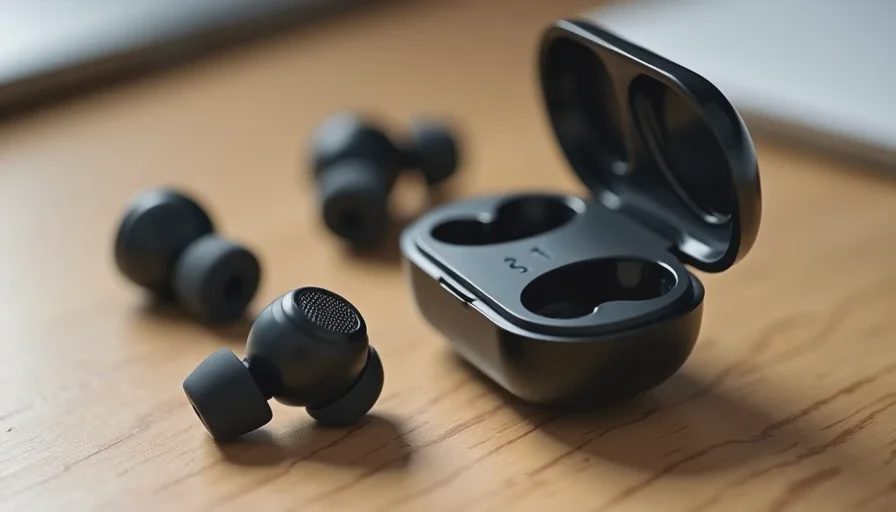
The best-running earbuds are the ones you forget you are wearing. They do not slip, bounce, or slowly work their way out of your ear as you run. A secure fit depends on the shape of the earbud and the tip. Some earbuds include ear wings or fins that brace against the outer ear. Others use a hook design that wraps around the ear. All of these are more important for running than the driver size or the codec support.
Before buying, look for earbuds designed specifically for sport or active use. They usually include multiple tip sizes and some form of stability feature. If the earbuds feel even slightly loose during a quick head shake at home, they will feel much worse after a mile.
Sweat and Weather Resistance Are Non-Negotiable
Running makes you sweat, and sweat finds its way into everything. Earbuds without proper water resistance will eventually fail. The moisture can cause volume drops, connection issues, or complete failure. If you run in the rain or in humid conditions, the risk is even higher.
Look for at least an IPX4 rating, which covers sweat and light splashes. If you run in heavy rain often, a higher rating like IPX5 or IPX7 gives more protection. The rating is not a guarantee against all damage, but it is a signal that the manufacturer built the product for active use.
The same applies to anything you carry while running. A phone armband or belt should handle sweat without soaking through. A running watch should be able to survive rain and repeated exposure to moisture.
Awareness of Your Surroundings
This is the safety factor that gets ignored too often. If you run on roads, paths, or anywhere with cars, bikes, or other people, you need to hear what is happening around you. Noise-canceling earbuds can block the sound of an approaching vehicle or a cyclist calling out. That is not a risk worth taking.
Some running earbuds include an ambient or transparency mode that lets outside sound in. Others are designed to sit more loosely so you retain some natural awareness. Bone conduction headphones are another option—they leave your ears open entirely while still letting you hear audio. The right choice depends on where you run and how much traffic you encounter.
Controls You Can Use Without Looking
When you are running, you do not want to pull out your phone to skip a track or adjust the volume. Touch controls on earbuds can be helpful, but they can also be unreliable when your fingers are sweaty or when the earbuds shift. Physical buttons are often easier to use without looking, but they can press against your ear if the design is poor.
The key is to test the controls before you buy, or at least before you commit to using them on a run. You want to be able to pause, skip, and adjust volume with a simple tap or press that does not interrupt your stride. If the controls are frustrating at home, they will be worse at mile three.
A Simple Way to Carry Your Phone
Running with tech usually means running with a phone, unless you use a running watch with onboard music. The phone needs to stay secure and out of your way. A phone in a loose pocket bounces and can fall out. A phone in your hand gets sweaty and makes you run unbalanced.
The two most practical options are a running belt and an armband. A running belt sits around your waist and holds the phone close to your body. It is the better option for most people because it does not affect your arm swing and can hold a key or a small snack. An armband works for some runners, but it can feel tight or slide down if it does not fit well.
Whichever you choose, make sure it is water-resistant and fits snugly without bouncing. The phone should feel like part of your body, not an extra item you are managing.
The Running Tech I Actually Use
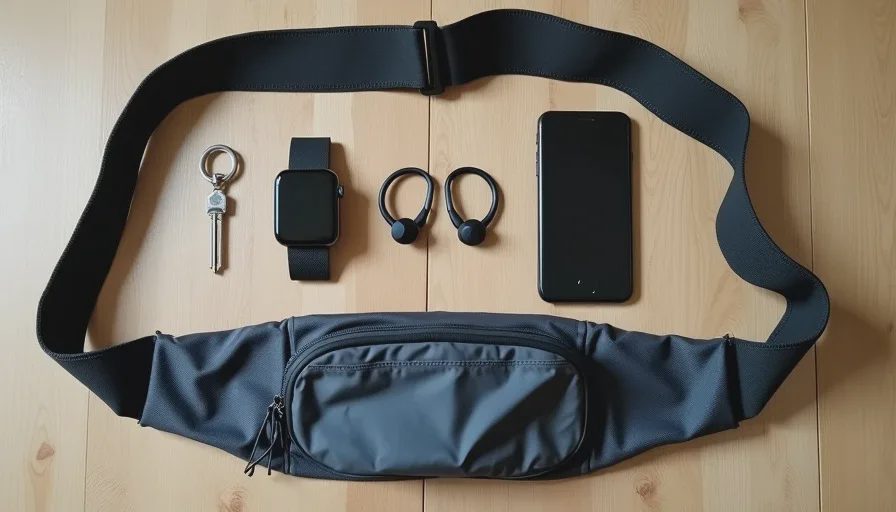
After several failed setups, I settled on a simple kit that works for my normal runs. I run three or four times a week, usually on neighborhood streets and a nearby trail. The setup is basic, and that is the point.
Earbuds With Ear Hooks
I use a pair of true wireless earbuds with ear hooks that wrap around the top of my ear. The hooks keep them secure no matter how much I sweat or how hard I stride. The earbuds have an IPX5 rating, which has survived rain and summer humidity. They have a transparency mode, and I leave it on for most road runs. The sound is good, but that is not why I chose them. I chose them because I have never had to adjust them mid-run.
A Running Belt for the Phone
My phone goes into a slim running belt that sits around my waist. The belt is made of a stretchy, water-resistant fabric with a small key pocket. The phone stays flat against my lower back, and I do not feel it after the first few steps. The belt also holds a small car key and sometimes a gel if I am going longer.
A Basic Running Watch
I started using a running watch for pace and distance because I was tired of pulling out my phone to check my time. The watch also controls the music on my earbuds, which means I never touch the phone during a run. It is not a smartwatch with a dozen features. It tracks distance, pace, and heart rate, and it lets me pause or skip tracks. That is all I need.
Common Mistakes Runners Make with Tech
Buying for Sound, Not Fit
This is the most common mistake. A runner walks into a store, tries a few earbuds, and picks the one with the most impressive sound. Two weeks later, the earbuds are falling out or causing pain. For running, fit comes first. Sound is a bonus. If the earbuds do not stay in, the sound quality does not matter.
Ignoring the IP Rating
Sweat damage is one of the most frequent reasons running earbuds die. A pair of earbuds without water resistance will eventually fail if you sweat heavily. Always check the IP rating and look for at least IPX4. If the product page does not mention water resistance, assume it is not designed for running.
Using Noise Cancellation on Busy Roads
Active noise cancellation is great on a plane. It is dangerous on a road with cars. If you run near traffic, turn it off or use a transparency mode. The goal is to hear your audio and your surroundings at the same time. A close call with a car will end your running habit faster than a bad pair of earbuds.
Carrying Too Many Devices
Some runners carry a phone, a watch, earbuds, a heart rate strap, and a hydration pack. That is a lot of gear for a simple run. Unless you are training for something specific, keep the kit small. The more items you carry, the more you have to manage, and the more likely something will annoy you. Start with earbuds, a phone in a belt, and maybe a watch. That covers most runs.
A Simple Checklist Before You Run
Here is a quick checklist I use before heading out. It takes less than a minute.
Earbuds charged and seated securely, with the right tips in place.
Transparency mode on if I am running on roads.
Phone in the belt, key secured, and the belt snug.
Watch charged and set to the right activity mode.
Laces tied and nothing bouncing.
That is it. The goal is to spend the run focused on the road, the pace, and the feeling of moving. The tech should disappear into the background.
Final Note: Let the Run Come First
Running with tech should make the run better, not more complicated. The best gear is the gear you forget about after the first few minutes. It stays in place, survives the sweat, keeps you aware of your surroundings, and lets you control it without looking.
When you shop for running tech, do not start with sound quality. Start with fit, water resistance, and safety. Those are the things that determine whether you actually enjoy the run. Buy for how you run, not for how it looks on the spec sheet.