Portable monitors are one of those product categories that sound better in a demo video than they feel in daily use. The idea is attractive: a second screen that folds into your bag and gives you more workspace anywhere. For some people, a portable monitor is the single best upgrade they can make. For others, it becomes an expensive slab that sits in a drawer after two trips. The difference comes down to how you actually work, not how much you like the concept.
After years of watching customers buy portable monitors and either love them or quietly return them, I have a clear picture of who should buy one and who should skip it. This guide breaks that down without the usual product-launch enthusiasm.
What a Portable Monitor Actually Does
A portable monitor is a thin, lightweight display that connects to a laptop, tablet, or even a phone over USB-C or HDMI. It usually draws power from the connected device or a separate charger. The screen size typically ranges from 13 to 17 inches, and the weight is usually between one and three pounds.
The promise is simple: more screen space without carrying a full-size monitor. That promise holds for a specific kind of work. It falls apart when the work does not actually need more space.
Who a Portable Monitor Helps
Frequent Travelers Who Work From Hotel Desks
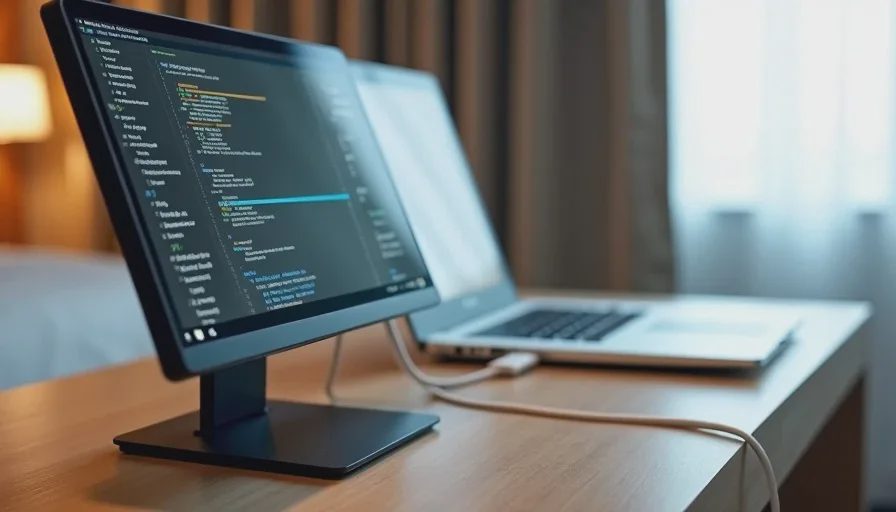
If you travel often for work and regularly spend evenings in hotel rooms or client offices, a portable monitor can earn its place. A laptop screen alone feels cramped when you are juggling email, documents, and video calls. A second screen lets you keep reference material open while you write, or keep a chat window visible during a meeting.
The key here is frequency. If you travel for work at least a few times a month, the portability is worth the tradeoff. If you travel once or twice a year, the monitor will mostly live in a closet.
Hybrid Workers Who Move Between Rooms or Locations
Some people work from a home office in the morning, a kitchen table after lunch, and a coworking space a few days a week. A portable monitor gives you a consistent second screen in all those places without buying multiple full-size monitors. It is lighter than a traditional display and easier to set up on a small table.
People Who Do Side-by-Side Reference Work
Certain tasks are much easier with two screens: comparing documents, editing photos while viewing a reference, coding with documentation open, or managing spreadsheets that stretch across columns. If your work regularly involves looking at two things at once, a portable monitor removes the constant alt-tabbing.
Presenters Who Need a Second Screen for Small Groups
A portable monitor can act as a small presentation display for a table meeting or a client review. It is easier to carry than a projector and works well in small rooms. This is a niche use, but it is one where the monitor earns its cost quickly.
Who Should Skip a Portable Monitor
People Who Work Mostly at One Desk
If you spend 90% of your work time at the same desk, a portable monitor is not the right tool. A full-size second monitor will be larger, brighter, and more comfortable for a similar or lower cost. The portability you are paying for will not be used. Save the money or put it toward a better chair or a monitor arm.
People Who Do Focused Single-Task Work
Some work does not benefit from a second screen. If you write long-form content, edit audio, or do work that requires deep focus on a single window, a second screen can be a distraction rather than a help. The extra display invites multitasking, and multitasking is not always productive.
People Who Rely on Battery Life Away From Outlets
Portable monitors draw power from the laptop battery unless they are plugged into a separate power source. If you often work in places without easy access to outlets—planes, trains, park benches—the monitor can drain your laptop faster than expected. A portable monitor is not a good match for untethered, on-the-go work.
People Who Are Sensitive to Small Text and Low Brightness
Most portable monitors are dimmer than desktop displays and have smaller text at native resolution. If you already struggle with eye strain or prefer a large, bright screen, a portable monitor may feel like a downgrade. You will end up zooming in and squinting, which defeats the purpose.
People Who Want a Laptop Replacement
A portable monitor does not turn a tablet into a laptop, and it does not make a laptop significantly more powerful. It adds screen space, not processing power or better input. If you are hoping a portable monitor will replace a desktop setup or make a lightweight laptop feel like a workstation, it will not.
The Tradeoffs You Accept With a Portable Monitor
Size and Resolution Are Compromises
A 15-inch portable monitor is still a 15-inch screen. It is smaller than most desktop monitors, and the resolution is often 1080p. That is fine for text and basic work, but it is not a high-end display. If you are used to a 27-inch 4K monitor, the portable version will feel like a step down.
Setup Is Not Always Instant
The idea of pulling a monitor out of a bag and having a second screen in seconds is appealing, but reality is more mixed. You need to find a stable surface, connect the cable, adjust the stand, and sometimes install a driver or change a display setting. After a few trips, the setup becomes routine, but it is not friction-free.
The Stand Matters More Than You Think
Many portable monitors come with flimsy stands or magnetic covers that prop the screen at a single angle. If the stand is bad, the monitor wobbles or sits too low. Before buying, check how the monitor actually stands on a desk. A bad stand makes the whole product feel cheap, even if the panel is fine.
What to Look For If You Decide to Buy
If your work patterns match the “helps” side of this guide, a portable monitor can be a good purchase. The key is choosing one that fits your actual setup.
USB-C Single-Cable Connection
The best portable monitors connect over a single USB-C cable that carries both video and power. That eliminates a separate power brick and makes setup much simpler. Make sure your laptop or tablet supports video over USB-C before buying. Some devices only support data and charging, not display output.
Weight and Thickness
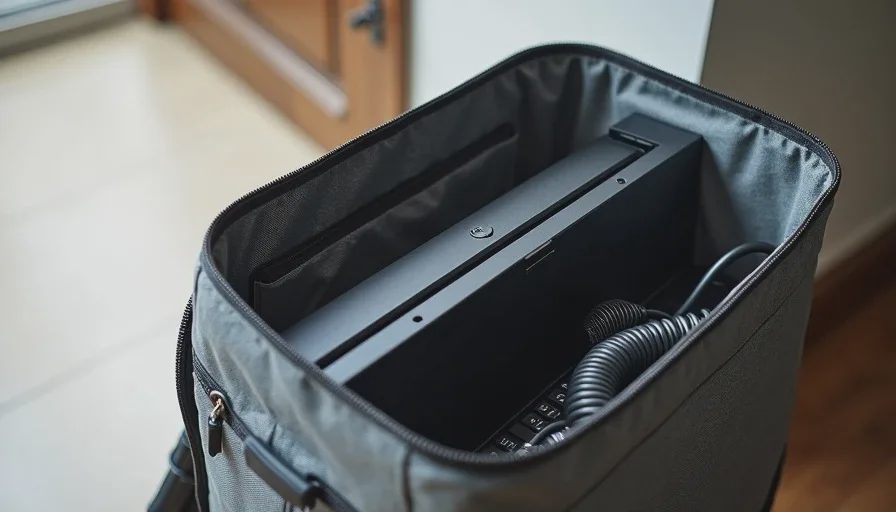
Every ounce matters when the monitor lives in your bag. Look for a model under two pounds if possible. Thickness also affects how easily it slides into a laptop sleeve or backpack compartment. A monitor that is too thick or too fragile will get left behind.
A Stand That Actually Works
A stable stand is worth paying for. Look for a monitor with a built-in kickstand or a cover that folds into a sturdy base. Avoid models that require a separate stand unless you already carry one for a tablet. A wobbly monitor on a hotel desk is a daily annoyance.
Brightness and Viewing Angles
If you plan to use the monitor in different lighting conditions, brightness matters. Look for at least 300 nits for indoor use. Viewing angles also matter if you will share the screen or look at it from slightly off-center. A matte finish helps reduce glare.
A Practical Test Before You Buy
Here is a simple way to decide if a portable monitor is worth it for you:
How often do you work away from your main desk?
How often do you need two windows visible at the same time?
Are you willing to carry an extra pound or two in your bag?
Is the place where you work away from home usually a desk or table with space for a second screen?
Can your laptop or tablet output video over USB-C?
If the answers lean toward “often” and “yes,” a portable monitor makes sense. If the answers are “sometimes” and “not really,” you will likely not use it enough to justify the cost.
Final Thoughts: Buy for the Work You Actually Do
Portable monitors are not a bad product. They are a specific product for a specific type of work. The people who love them are usually frequent travelers, hybrid workers, or anyone who regularly needs a second screen away from a fixed desk. The people who regret them are usually buying for an imagined version of their work life—the one where they suddenly become a digital nomad or a presentation pro.
Before you buy, look at your last month of work. Where did you actually work? What did you actually need? If a second screen would have made those specific situations easier, a portable monitor is a reasonable purchase. If not, skip it and use the money for something that removes a real daily friction.
Buy for how you work, not for how you imagine you might work someday.