The which ipad should i get quiz is useful because choosing an iPad is less about finding the most powerful model and more about matching a screen, size, and price to your daily routine. An iPad for reading recipes and watching shows does not need the same hardware as one used for college notes, digital art, video editing, or a full workday with a keyboard.
Apple’s lineup can feel confusing because the models overlap. The standard iPad handles a lot for a reasonable price, the iPad mini is easy to carry, the iPad Air adds speed and accessory support, and the iPad Pro is built for demanding creative and professional work. The right answer depends on what you will do repeatedly, not what looks impressive on a product page.
Start with the job you want the iPad to do
Before taking any buying quiz, describe your main use in one sentence. “I want a couch tablet for streaming and browsing” points toward the standard iPad or iPad mini. “I need a portable second screen for travel and handwritten meeting notes” points toward an iPad Air, depending on your budget and preferred size. “I edit large video projects and draw professionally” is where the iPad Pro becomes easier to justify.
For reading, email, FaceTime, web browsing, streaming, and casual games, the entry-level iPad is usually enough. It gives you a familiar iPadOS experience without charging you for workstation-level performance. A 10- to 11-inch screen also works well on a kitchen counter, nightstand, or small desk.
The iPad mini is a different kind of purchase. Its smaller display slips into more bags and feels comfortable when held one-handed for reading, navigation, or quick notes. That portability is the reason to choose it. If you plan to split-screen documents all day, its compact screen can feel cramped, so the which ipad should i get quiz should treat portability as a priority rather than a bonus.
How much performance do you actually need?
Performance matters when an app has to process large files, switch between several demanding apps, or support accessories for long work sessions. It matters much less when your routine is mostly Netflix, Safari, Apple Notes, email, and light games. A faster chip can extend the useful life of a tablet, but buying extra power does not automatically make simple tasks feel better.
The iPad Air is often the sensible middle ground. It is appealing for professionals who want a larger canvas, students managing research and notes, and travelers who want a tablet that can serve as a lightweight laptop with a keyboard. It also makes sense for people who keep devices for four or five years and want more headroom than the least expensive option.
The iPad Pro is for buyers who can name the demanding feature they need. That could be advanced drawing, heavy video work, music production, 3D applications, or a high-end display experience. If your routine never stresses those features, don’t pay for them. This sounds better on paper than it feels in daily use when the extra money could have covered a keyboard, Apple Pencil, case, or cellular service.
Pick the screen size around your real routine
A larger iPad is easier for spreadsheets, split-screen work, PDFs, drawing, and remote desktop sessions. It is also heavier, less convenient to hold in bed, and more noticeable in a commuter bag. A smaller model feels more like a large phone and less like a portable laptop. Neither choice is universally better.
Imagine your normal Tuesday. If you move from a train to a coffee shop to a conference room, a compact iPad that comes out quickly may get used more often. If the device will stay on a desk beside a keyboard, the larger display may save you from constant zooming and window rearrangement. The which ipad should i get quiz should ask where the tablet lives when it is not in your hands.
Storage deserves the same practical treatment. A reader who streams most content and stores few photos can manage with a lower capacity. Someone downloading movies for flights, keeping large design files, or recording video should move up. iCloud helps with synchronization, but it does not eliminate the need for local space when you work offline.

Accessories can change the total price
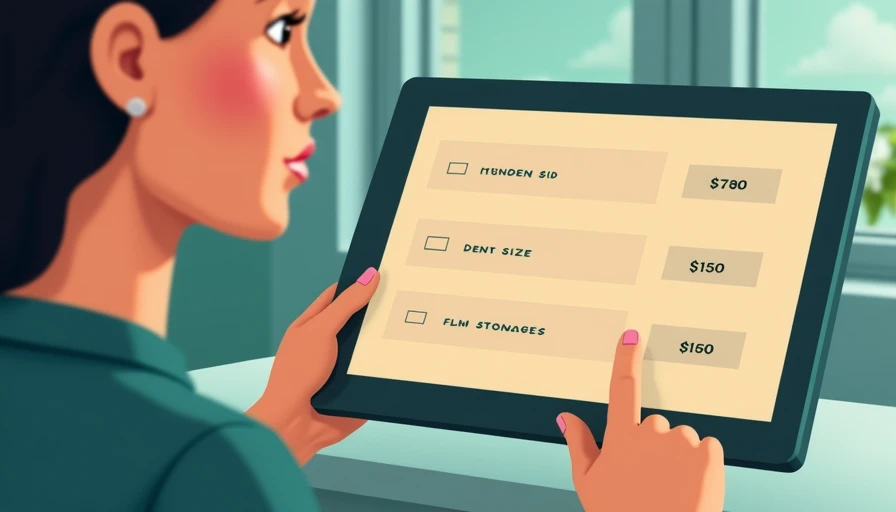
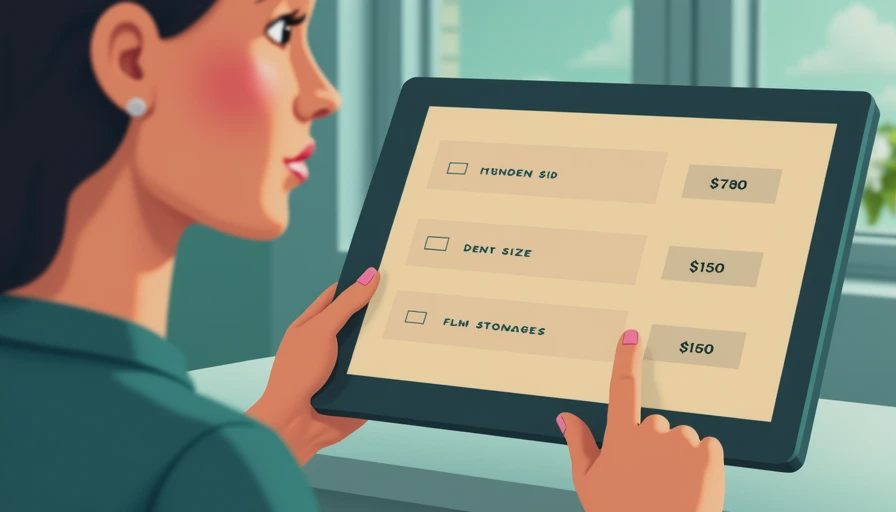
An iPad purchase rarely ends with the tablet. A basic protective case might cost $25 to $60, while a keyboard case can add roughly $100 to $350 depending on the model and brand. An Apple Pencil or compatible stylus adds another cost, and a USB-C hub may be useful for displays, storage, or wired accessories.
This is why the cheapest iPad is not always the cheapest setup. A student who needs handwritten notes might get more value from an iPad Air with a stylus than from a lower-priced tablet plus a collection of compromises. On the other hand, a family tablet used for recipes and streaming may need only a durable case and a standard charger.
When using the which ipad should i get quiz, include the accessories in your budget before comparing models. A tablet priced at $349 can become a $600 setup quickly once you add a keyboard, stylus, and extra storage. Decide what you need on day one and what can wait until you know the tablet will become part of your routine.
Quick recommendations for common buyers
For casual home use, choose the standard iPad. It is the straightforward option for browsing, video, reading, recipes, video calls, and shared family use. Spend the saved money on a sturdy case and enough storage rather than chasing a premium chip.
For frequent travel, consider the iPad mini if one-handed comfort and bag space matter more than split-screen productivity. It is particularly convenient for ebooks, downloaded shows, airline apps, maps, and quick notes.
For school, hybrid work, or creative hobbies, start with the iPad Air. It provides a stronger foundation for multitasking and accessories without jumping immediately to Pro pricing. Add a keyboard only if you regularly write long documents; otherwise, the on-screen keyboard and a simple stylus may be enough.
For professional creative work, compare the iPad Pro against the actual apps you use. A Pro model is easier to justify when display quality, sustained performance, or advanced accessory support directly affects paid work. It is not a smart upgrade simply because the name sounds better.
Take the quiz, then check these final details
The best which ipad should i get quiz result should lead to a shortlist, not an automatic checkout. Confirm the exact storage, screen size, included charger, accessory compatibility, and return policy. Check whether the Apple Pencil generation you want works with that model, since stylus compatibility is not identical across the lineup.
Also decide whether Wi-Fi is enough. Cellular connectivity can be useful for frequent travelers, but a phone hotspot often handles occasional needs without another monthly plan. Refurbished models from reputable sellers can lower the price, especially when the warranty and return window are clear.
Buy for how you live, not for how it looks on the spec sheet. If your day is mostly reading and streaming, keep the setup simple. If you need a portable work surface, budget for the accessories that make it useful. The strongest which ipad should i get quiz answer is the model you will reach for regularly, carry comfortably, and still feel good about paying for a year from now.