
Why Your Desk Still Feels Cluttered After Buying Better Gear
There is a moment after you buy a new monitor stand, a nicer desk mat, or a sleek cable organizer when you expect the desk to finally feel calm. You set everything up, step back, and for about a day, the workspace looks like it belongs in a productivity video. Then real life returns. The mail lands on the desk. The earbuds case, the phone, the notebook, the coffee mug, and three pens appear. The new organizer fills up, and the desk feels cluttered again—only now the clutter is sitting on more expensive accessories.
I have been through this cycle more times than I care to admit. The problem was never that my gear was too cheap. The problem was that I was treating organization as a product purchase instead of a daily habit. A cluttered desk after buying better gear is a sign that the gear was not the issue. The system was.
The Real Reason Desks Stay Cluttered
Clutter is not a furniture problem. It is a flow problem. Items accumulate on a desk because they do not have a clear place to go, or because the place is not convenient enough to use in the moment. Buying a better cable tray or a nicer drawer unit does not fix that flow. It just gives the clutter a more attractive surface to sit on.
Every Item Needs a Decision
Look at the things on your desk right now. Each one is there because of a small decision you made—or avoided. The earbuds case is there because you were not sure where else to put it. The stack of papers is there because you might need them later. The extra cable is there because you might use it someday. Each item represents an open loop, and open loops are what make a desk feel heavy.
The fix is not to buy a bigger organizer. The fix is to close the loops. Give every item a home, and if an item does not have a home, decide whether it belongs on the desk at all.
The Desk Is Not a Storage Unit
One of the most common mistakes is treating the desk as a storage surface. It is not. It is a work surface. The difference matters. A work surface should hold only the items you are actively using. A storage surface holds everything you might need eventually.
When the desk becomes storage, it stops being useful as a workspace. You lose the room to write, think, and spread out. The clutter is not just visual. It is functional. It makes the desk less capable of doing what it is for.
The Gear Trap: Why Buying More Makes It Worse
It is easy to believe that the right accessory will solve the mess. A new desk organizer, a drawer system, a cable management kit, a monitor stand with built-in storage. The marketing shows a perfect desk with a place for everything. But the product cannot create the habit. It can only support a habit that already exists.
The Organizer That Becomes Clutter
I have bought desk organizers that ended up as clutter themselves. The small drawers filled with items I never used. The pen holder overflowed with pens I did not like. The paper tray became a permanent inbox that never got sorted. The organizer did not reduce the clutter. It gave the clutter a more permanent home.
A good organizer only works if you are already willing to put things away. If you are not, it becomes one more thing on the desk that makes the space feel tighter.
The Cable Tray That Hides the Problem
Cable management tools are useful, but they can also hide a deeper issue: too many cables. I once tucked a tangle of cables into a tray under my desk and felt proud of myself. A month later, I had to unplug something, and the tangle came back worse than before. The tray had not solved the problem. It had just postponed it.
The first step in cable management is removing the cables you do not need. The second step is organizing the ones that remain. Reversing that order just creates a neat-looking mess.
What Actually Reduces Desk Clutter
The solutions that work are boring. They do not involve new gear. They involve fewer items, clear homes, and a short reset habit that takes minutes.
Reduce the Number of Items on the Desk
Start by removing everything from the desk. Every item. Put it all in a box or on a nearby surface. Then, as you work over the next few days, take items out only when you actually need them. At the end of the week, look at what is still in the box. Those items were not earning their place on the desk. They can go somewhere else—a drawer, a shelf, or the trash.
This exercise is uncomfortable because it forces you to confront how much of the desk was filled with things you did not use. But it is the most effective way to reset the space.
Give the Remaining Items Fixed Homes
The items that survive the box test need a fixed home. Not a general area—a specific place. The earbuds case goes in the small tray on the left. The notebook goes in the top drawer. The pen goes in the pen holder, and the pen holder holds only three pens. The phone goes on the stand, not on a random corner of the desk.
Fixed homes reduce the number of decisions you make every time you sit down. When everything has a place, putting things back takes seconds instead of mental effort.
Create a Two-Minute Reset Habit
At the end of each workday, take two minutes to reset the desk. Put the earbuds back in their case. Move the coffee mug to the kitchen. Clear the papers into the inbox or the trash. Straighten the keyboard and mouse. This small habit prevents the slow buildup that turns a clean desk into a cluttered one within a week.
The reset does not need to be perfect. It just needs to happen regularly. Two minutes a day beats an hour-long deep clean every month because it keeps the clutter from accumulating in the first place.
The Difference Between Visual Noise and Real Clutter
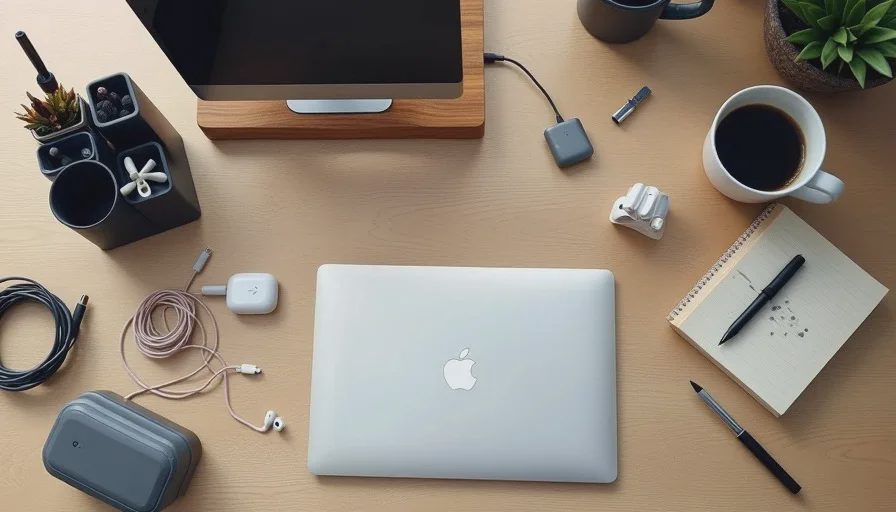
Not everything that looks messy is a problem. A desk with a working notebook, a coffee mug, and a pair of headphones is not cluttered—it is in use. The difference is whether the items are actively serving you or just sitting there because you have not decided where they belong.
Visual noise becomes real clutter when it blocks you from working. If you have to move things to find space, if you feel a slight resistance every time you sit down, the desk is cluttered. If the items are part of your active workflow, they are not clutter even if they are visible.
The goal is not an empty desk. The goal is a desk where everything is either in use or in its home. That is the feeling of calm you were chasing when you bought the better gear.
Common Mistakes That Keep Desks Cluttered
Keeping "Maybe" Items on the Desk
The stack of papers you might need. The cable that might fit something. The accessory you might use someday. These items are the core of desk clutter. They do not serve you today, but they stay because of a vague future possibility. The rule is simple: if you have not used it in two weeks, and it does not have a scheduled use, move it off the desk.
Buying Storage Instead of Removing Items
A drawer unit can help, but it can also become a way to avoid making decisions. Instead of deciding whether an item belongs in your life, you put it in a drawer. The drawer fills up, and the clutter is still there—just hidden. The better order is to remove first, then organize what remains.
Organizing Without a Reset Habit
Even the best organization system falls apart without a regular reset. The reset is what keeps the system running. Without it, the desk slowly returns to its natural cluttered state, no matter how nice the organizers are.
A Simple Desk Declutter That Works
Here is a practical sequence that takes about an hour and does not require buying anything:
Clear the desk completely.
Wipe the surface clean.
Work through the box test: only return items you use daily or weekly.
Assign a fixed home to every item that returns.
Remove all cables that are not actively connected to something you use.
Spend five minutes bundling the remaining cables with Velcro ties.
Do the two-minute reset at the end of the day.
That is it. No new gear, no expensive organizers, no complicated system. Just fewer items, clear homes, and a short habit that keeps the desk from sliding back into chaos.

Final Note: The Calm Desk Is a Habit, Not a Product
The desk you see in the marketing photos is not the result of buying the right accessories. It is the result of a daily practice of putting things back and removing what does not belong. The products can support that practice, but they cannot replace it.
If your desk still feels cluttered after buying better gear, stop buying gear. Clear the surface, reduce the items, and build the reset habit. The calm you are looking for is not on a product page. It is in the routine.
A desk that feels calm is a desk where everything has a place and nothing is waiting for a decision. That is a system you build, not a product you buy.