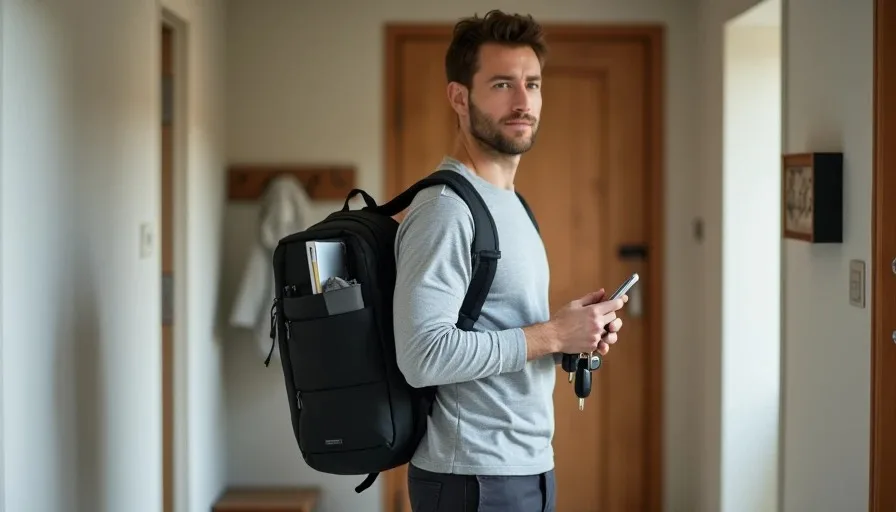
A hybrid work week sounds flexible until you realize you are packing and unpacking the same bag three times a week. The laptop, the charger, the mouse, the earbuds, the notebook, the cable pouch—each trip feels like a small decision, and after a few weeks the bag either becomes a permanent storage unit or a source of morning friction. I have spent enough time moving between a home desk and an office desk to know that the best hybrid work setup is not a bigger bag or more gear. It is a fixed packing list that makes the switch boring and predictable.
This is what I pack for a normal hybrid work week. It is not a list of everything I own. It is a list of what actually gets used, what earns its place, and what stays home.
The Hybrid Work Week Reality
A normal hybrid week for me includes two or three days at home and two or three days in an office or a shared workspace. The work itself does not change much: email, documents, calls, and occasional light photo or note work. The environment changes, which means the gear has to work in both places without forcing me to carry a second desk.
The challenge is not capability. It is portability and repeatability. If a device only works well at home, it does not belong in the bag. If it only helps at the office, it needs a strong reason to justify the weight. The goal is one bag that covers both settings with as little thought as possible.
The Bag I Use and Why It Works
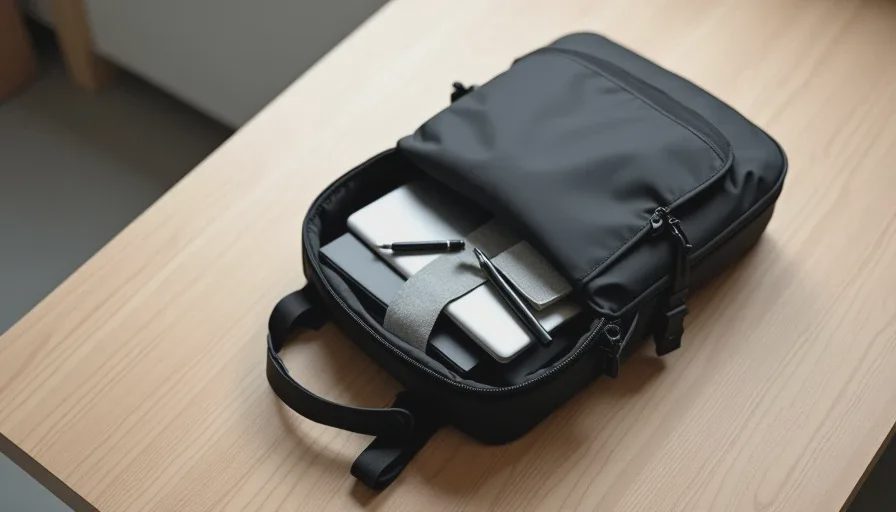
I use a simple backpack with a padded laptop sleeve and one large main compartment. It is not a specialized tech bag with thirty pockets and straps. I tried that once and spent more time opening zippers than working. A simple layout makes it easier to see what is inside and harder to lose small items in forgotten compartments.
Size and Organization
The bag is small enough to fit under a desk or on a chair, but large enough to hold a laptop, a small pouch, a notebook, and a water bottle. I keep the main compartment mostly empty so there is room for a lunch container or a light jacket. The goal is not to fill every pocket. It is to keep the daily essentials accessible and the bag light.
The Core Tech That Goes Every Time
Laptop and Charger
The laptop is the center of the setup. It is a lightweight model that handles documents, video calls, and web-based work without struggling. I do not carry a tablet as a second device because my phone covers quick tasks, and the laptop covers everything else. One device for the main work, one device for the pocket.
The charger is a compact USB-C model with enough wattage to charge the laptop slowly and the phone at full speed. I do not carry the large power brick that came with the laptop. The smaller charger stays in a pouch and works for everything. One charger, one cable type, no adapter juggling.
Earbuds or a Simple Headset
For calls and focus time, I carry wireless earbuds with a good microphone. They are small enough to live in the bag permanently, and the charging case holds enough battery for a few days of mixed use. I do not carry over-ear headphones unless I know I will be in a noisy shared space for most of the day. The earbuds are the default.
Mouse and Keyboard?
I do not carry an external keyboard. The laptop keyboard is fine for the amount of typing I do on office days, and carrying a separate keyboard adds weight and setup time. At home I have a full external keyboard and stand, but that setup stays home. The office already has a basic setup, or I use the laptop directly.
I do carry a small wireless mouse. A mouse is small enough to justify its place, and it makes long document work feel less strained than a trackpad. The mouse lives in the same pouch as the charger and cable, so it never gets left behind.
The Small Items That Make Office Days Easier
A Cable Pouch
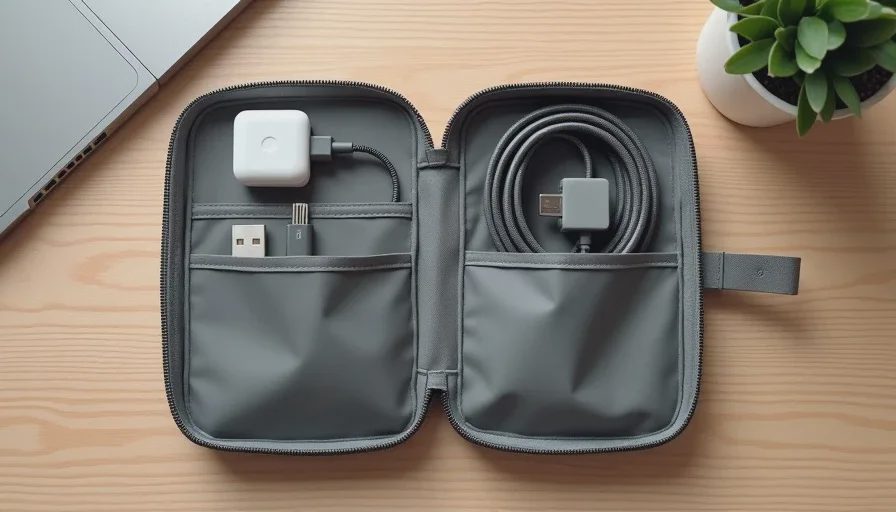
A single small pouch holds the charger, a short USB-C cable, the wireless mouse, and a few small items. The pouch is the only thing I need to move between bags or pull out at a desk. It keeps the loose cables and small devices from scattering through the main compartment.
The pouch contains:
A compact USB-C charger
One short braided USB-C cable
A small wireless mouse
A USB-C to USB-A adapter, just in case
A microfiber cloth for screens
That is the entire pouch. It is not a full toolkit. It is the minimum set of items that prevents the usual office annoyances.
A Tiny USB-C Hub
Some offices have monitors or projectors with older ports. A small USB-C hub with HDMI and USB-A covers the gap without taking up much space. I only carry it if I know the office setup requires it. On most days, it stays in the pouch and adds almost no weight. When I need it, it saves a long troubleshooting session.
Notebook and Pen
A simple paper notebook handles quick notes, meeting scribbles, and things I do not want to type into a document while someone is talking. It is faster for certain tasks and does not require charging or opening an app. A pen with a clip stays attached to the notebook so I never dig for one.
A Small Water Bottle and a Snack
This is not tech, but it matters for a hybrid work day. A small water bottle and a simple snack keep the day from getting derailed by low energy or a long walk to the break room. The bottle fits in the side pocket, and the snack stays in the front pocket. It is a small addition that makes office days feel less draining.
What Stays at Home
The External Monitor
At home I use a larger external monitor on a desk stand. That setup is comfortable and productive, but it does not travel. Trying to recreate a dual-monitor setup at the office with a portable monitor is usually not worth the weight unless the office lacks any external display and the work truly requires a second screen. Most office desks have something usable, even if it is not perfect.
The Mechanical Keyboard and Desk Mat
The home keyboard and desk mat improve long sessions, but they are not portable. I do not miss them on office days because the work pace is different. Carrying a mechanical keyboard would add weight and make the office setup more complicated. It stays home.
Extra Cables, Backup Devices, and "Just in Case" Items
I used to carry a second charger, a backup cable, a power bank, and a small flashlight. None of them got used. The office has power outlets. The phone battery lasts through a normal day. The flashlight is a phone feature now. Leaving these at home lightened the bag and removed decision fatigue.
The Packing Routine
The packing routine is more important than the bag itself. I use a simple evening reset so the morning is automatic.
Evening Reset
Before I go to bed, I check the bag and return anything that drifted out during the day. The laptop goes back in the sleeve. The pouch goes back in the main compartment. The earbuds case goes in the front pocket. The notebook and pen go back in the side pocket. The water bottle is empty and ready to fill in the morning.
This reset takes five minutes and removes the morning scramble. When I wake up, I know the bag is ready. I can fill the water bottle, grab a snack, and leave without thinking about what I might have forgotten.
Common Mistakes That Make Hybrid Weeks Harder
Carrying a Different Bag for Home and Office
Switching bags between home and office days creates more chances to leave something behind. One bag, used every day, is the better system. The bag does not need to be large, but it needs to be consistent.
Packing for a Worst-Case Scenario Every Day
Some people pack for a weeklong trip even on a normal workday. The bag fills with extra batteries, cables, adapters, and backup devices that never leave the bag. That weight adds up. Pack for the day you actually have, not the disaster you might imagine.
Unpacking Everything at Home and Repacking Each Morning
If you unload the bag every night and repack every morning, you will eventually forget something. The evening reset works because the bag stays packed. You are not repacking. You are just checking that the standard items are where they belong.
Final Advice: Make the Switch Boring
The best hybrid work packing list is the one you stop thinking about. The laptop, charger, earbuds, mouse, notebook, and a few small items are enough for most days. The bag stays packed, the routine stays consistent, and the switch between home and office becomes a non-event.
That is the real goal. Not a bag full of gear, but a simple system that lets you walk out the door with everything you need and nothing you do not. The less you think about packing, the more energy you have for the actual work.