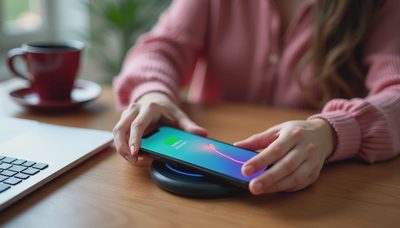
Anker charging station for multiple devices sounds like an easy solution to a common problem: too many cables, too few outlets, and a phone that is somehow at 18% before lunch. The right station can give your phone, earbuds, smartwatch, tablet, and work accessories one predictable home. The wrong one becomes an expensive block with the wrong ports and not enough power. Buy for how you live, not for how it looks on the spec sheet.
Start with your actual charging routine
Before comparing models, list what you charge on an ordinary evening. A typical setup might include an iPhone or Samsung Galaxy, wireless earbuds, an Apple Watch or other wearable, and a tablet. A hybrid worker may also need power for a laptop, portable monitor, keyboard, or USB desk fan. Those are different needs, even though retailers place them under the same charging-station label.
Anker makes several kinds of products that fit this category. A compact 3-in-1 wireless charger is designed mainly for a phone, earbuds, and watch. A desktop charging station with multiple USB-C ports is better for a laptop, tablet, phone, and accessories. Some models include a built-in power cord and several outlets, while others are only a charging hub that needs its own wall adapter.
The useful question is not how many devices the box lists. It is whether the station can charge your most demanding device while the others are connected. If your laptop needs 65 watts and your phone needs 20 watts, a small 40-watt adapter will force compromises. That setup sounds better on paper than it feels in daily use.

Choosing the right Anker charging station for multiple devices
For a nightstand, look at a folding or upright wireless model with dedicated spots for a phone, earbuds, and watch. Anker’s 3-in-1 Cube with MagSafe is aimed at Apple users who want a compact, travel-friendly design and magnetic phone alignment. It is not the best choice for charging a laptop or several USB-C accessories, but it can remove three separate cables from a small surface.
For a desk, consider an Anker charging station for multiple devices with at least two USB-C ports and enough total output for your largest device. Anker models with 67-watt or higher output are more practical for many laptops and tablets, although the exact charging speed depends on the computer, cable, and how other ports share power. A station rated at 100 watts gives you more breathing room when several devices are connected.
A simple rule helps: reserve the highest-power USB-C port for the laptop or tablet, use a second USB-C port for your phone, and leave lower-power USB-A ports for a mouse, earbuds case, or older accessory. Port labels matter. USB-C describes the connector shape, not automatically the charging speed.
Wireless convenience versus wired power
Wireless charging is excellent for a phone that spends the night on a stand. It is slower and less predictable when the phone is warm, sitting in a thick case, or positioned slightly off the charging coil. Magnetic alignment improves the experience on compatible iPhones, but it does not make every phone compatible with every magnetic charger.
Wired charging remains the better choice for tablets, laptops, power banks, and devices you want charged quickly before leaving home. A station with USB-C Power Delivery can negotiate the appropriate power level with compatible devices. That does not mean it will deliver the maximum advertised wattage to every port at the same time. Read the power-sharing chart before assuming the station replaces every charger you own.
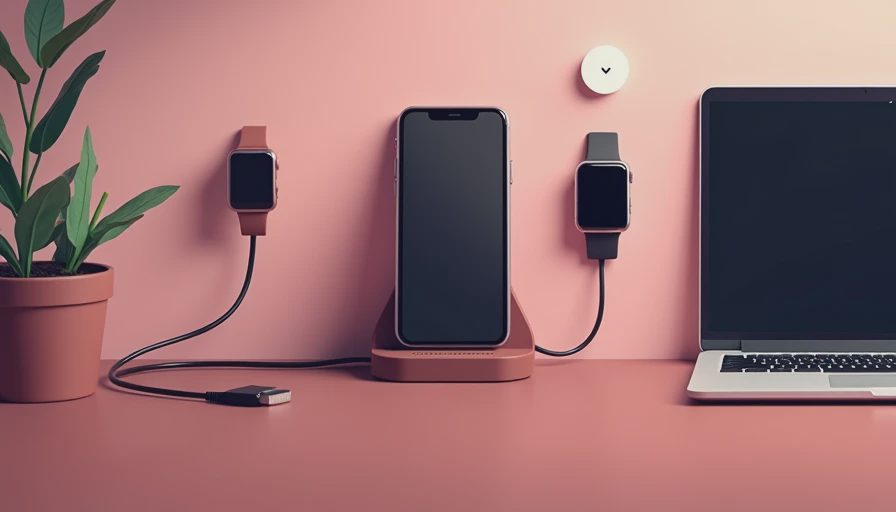
The best Anker charging station for multiple devices often combines both approaches: a wireless phone pad or stand plus wired USB-C ports underneath or behind it. That arrangement handles casual overnight charging and faster daytime top-ups without requiring a separate power brick for each device.
Space, heat, and cable management
A station only reduces clutter if it fits where you actually use it. Measure the depth of your nightstand or desk, including room for the cable to bend behind the unit. A wide charging dock may look tidy in a product photo but crowd a small bedside table. A vertical stand usually takes less surface area than several flat charging pads.
Heat is another practical consideration. Wireless charging creates more warmth than a simple cable connection, especially when a phone is running navigation, downloading files, or charging through a thick case. Keep the station in an open area rather than wedged between books or a monitor. Do not cover ventilation openings, and avoid stacking another heat-producing device directly on top.
Cable length also changes the daily experience. Six-inch cables can look clean but are frustrating when the outlet is behind a desk. Three- to six-foot USB-C cables are easier to route, provided they support the power level you need. Use one cable per device and label unusual connectors before putting extras in a drawer.
What you should expect to spend
A basic multi-port Anker charger often costs roughly $30 to $60, depending on output and sales. These are good for a desk drawer, travel bag, or simple phone-and-tablet arrangement, but they usually do not provide a polished wireless stand. A wireless 3-in-1 dock commonly falls around $80 to $150, with premium versions charging more for magnetic alignment, folding hardware, or included adapters.
Desktop charging stations with higher USB-C output can range from about $70 to $180. The price difference usually reflects wattage, port count, materials, included cables, and whether a power adapter is built in. An expensive model is not automatically smarter. If your routine never stresses a high-wattage laptop port, a $50 charger can be a better purchase than a premium desk hub.
This is where an Anker charging station for multiple devices earns its space: one reliable power source can replace several loose bricks. But calculate the full setup. If the station does not include the right adapter or cables, add those costs before comparing it with a standard charger bundle.
A quick buying checklist
Start by counting devices, then identify which ones need wireless charging. Confirm your phone and watch compatibility instead of assuming every wearable uses the same charging standard. Check the maximum output of the main USB-C port, the total output across all ports, and whether power is shared when two or more devices are connected.
Next, inspect the physical design. A weighted base is useful if you unplug devices frequently. A folding design is better for travel. Raised edges can hold a phone securely, while a flat pad may work with more cases. If you use a thick protective case, magnetic alignment and charging distance deserve extra attention.
Finally, buy from a retailer with a straightforward return policy and use the station with your real devices during the first week. Test the laptop, phone, earbuds, and watch together rather than one at a time. That is the fastest way to find a port limitation before the return window closes.
Who should buy one?
An Anker charging station for multiple devices makes sense for someone who charges several personal devices in one location every day and wants fewer cables on the surface. It is especially useful on a shared work desk, a bedside table, or a travel setup where packing four separate power bricks is annoying.
It is less compelling if you charge only one phone, move between rooms constantly, or already own a capable USB-C charger and a short cable. In that case, a compact multi-port wall charger may deliver the same practical benefit for less money and less desk space.
For most people, I would choose the station based on the largest device first, then add wireless convenience if it fits the routine. A well-matched Anker charging station for multiple devices should make charging boring and predictable. That is the real upgrade: fewer searches for cables, fewer nearly dead devices, and a setup that works when the day gets busy.