The best tablet setup for light work, reading, and travel is not the one that replaces a laptop. It is the one that handles email, documents, note-taking, reading, and the occasional video call without making your bag heavy or your desk cluttered. I spent years watching customers talk themselves into tablets with desktop-class chips and keyboard cases they never used, all because the sales conversation pushed them toward “future-proofing.” But a tablet bought for light work should be judged by how well it fits into a normal day, not by how many external monitors it can drive.
This guide is for people who want a tablet that feels effortless in the hand, useful on a desk, and light enough to carry without a second thought. It is not for video editors, 3D modelers, or anyone trying to replace a full laptop. If that sounds like you, keep reading.
Start With the Tablet, Not the Accessories
The mistake most people make is buying the tablet first and then piling on accessories that change what the tablet actually is. A keyboard case adds weight. A thick protective shell makes it harder to hold. A stand that stays on the desk is useful, but only if the tablet spends time on that desk. The tablet itself should be the right size and weight for the primary use case: holding it while reading, carrying it while traveling, and propping it up for light work.
Screen Size and Weight
A tablet between 10 and 11 inches hits the best balance for most people. It is large enough for a split-screen document and a browser window, but not so large that it feels awkward to hold while reading in bed or on a plane. Anything over 12 inches starts to feel less like a tablet and more like a small laptop with a detachable screen. Anything under 9 inches feels cramped for real work.
Weight matters more than people expect. A tablet that is comfortable to hold for an hour of reading will feel comfortable to carry all day. If it is too heavy, you will leave it at home or use it only on a table. That defeats the point of a portable setup.
Battery Life
For light work and travel, battery life should be measured in days, not hours. A tablet that can last through eight hours of mixed use—email, reading, web browsing, a short video call—will cover most people without needing a charger nearby. If you travel often, look for a model that can comfortably get through a long flight or a full day of intermittent use. You do not need the fastest charging if you rarely drain it in one day.
The Keyboard Question: Do You Actually Need One?
A keyboard attachment is the most common accessory added to a tablet, and the most common one left at home. Before buying one, ask what you will actually type. If you write long emails, draft documents, or take notes during meetings, a keyboard is useful. If you mostly read, browse, and annotate with a stylus, a keyboard just adds bulk.
Foldable Bluetooth Keyboards
A foldable Bluetooth keyboard is a better choice than a fixed keyboard case for many light-work users. It stays in the bag until you need it, weighs almost nothing, and does not make the tablet thicker when you are just reading. The downside is you need a way to prop the tablet up. A simple folding stand solves that.
Keyboard Cases
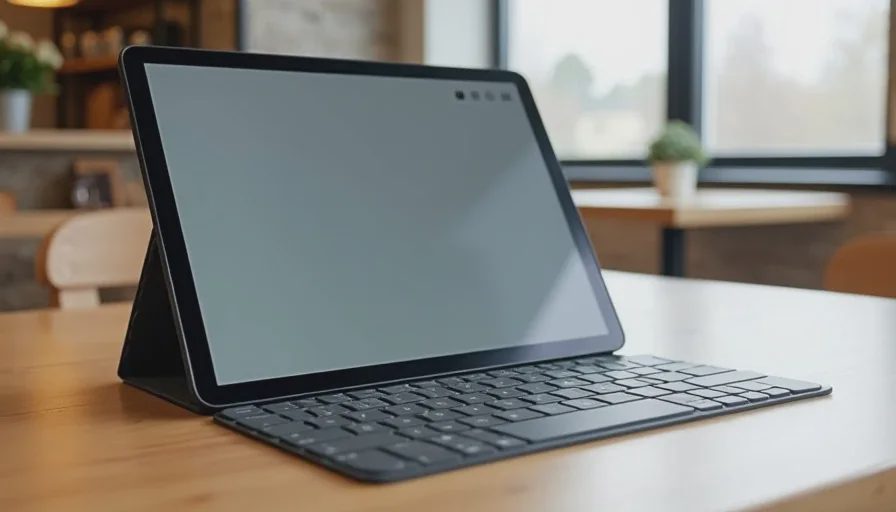
Keyboard cases are convenient, but they turn the tablet into a quasi-laptop. The case stays attached, which means it is always there, but it also means the tablet is always heavier. If you write for more than an hour every day, a keyboard case may be worth the tradeoff. If you only type occasionally, a separate keyboard and stand is more flexible and easier to carry.
Reading Comfort Needs More Than a Good Screen
The best tablet for reading is not the one with the highest resolution. It is the one that is comfortable to hold for long periods and easy on the eyes in different lighting. A high-resolution screen helps, but weight, bezel size, and the ability to adjust brightness and color temperature matter more for daily reading.
A Simple Stand or Adjustable Case
If you read at a desk or a table, a small stand makes a real difference. It keeps the tablet at a better angle and lets you rest your hands. A case with a built-in stand is the simplest option, but it adds bulk. A separate folding stand is lighter and works with any tablet, including future models.
A Stylus for Annotation
A stylus is not necessary for everyone. But if you read PDFs, mark up documents, or take handwritten notes, it changes how you use the tablet. You do not need a premium stylus with pressure sensitivity unless you draw or sketch. A basic compatible stylus covers most annotation and note-taking needs.
A Practical Tablet Setup for Travel
When you travel, the goal is to carry as little as possible while keeping the tablet useful in different situations. The setup I recommend fits in the same small pouch as a phone charger and a cable. It does not require a dedicated laptop bag or a heavy sleeve.
The Travel Setup
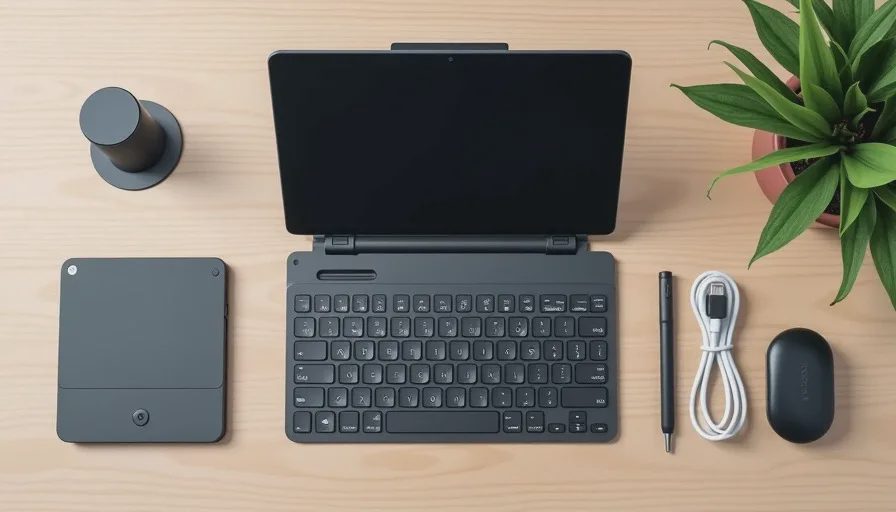
A 10 to 11-inch tablet with a simple protective case or sleeve.
A foldable Bluetooth keyboard, only if you type regularly.
A compact folding stand, if the case does not prop the tablet at a comfortable angle.
A basic stylus, if you annotate or take handwritten notes.
One USB-C cable and a compact charger that works with your phone and tablet.
That is the entire setup. No extra dongles, no portable mouse, no separate speaker. The tablet’s built-in speakers are fine for video calls and light media. A mouse is unnecessary for light work and adds one more item to track.
What You Do Not Need
A Premium Processor
Light work does not need the latest processor. Email, documents, web browsing, and reading run smoothly on midrange tablets. Paying for a desktop-class chip makes sense if you edit video or use professional apps. For everything else, the extra performance is invisible in daily use. Save the money and put it toward a better case or keyboard.
A Large Storage Tier
Cloud storage, streaming, and note-taking apps mean you probably do not need a tablet with 512GB of storage. For light work and reading, 128GB is usually plenty, especially if you store most files online. The extra storage tier is one of the easiest ways to overspend on a tablet.
A Fancy Keyboard Case With a Trackpad
A trackpad on a tablet keyboard is not the same as a laptop trackpad. For most light work, touching the screen is faster and more natural than moving a cursor. The trackpad adds cost, weight, and complexity. If you need a laptop replacement, buy a laptop. If you need a tablet for light work, skip the trackpad.
A Simple Decision Framework
Use this order when building your tablet setup:
Pick the screen size that feels right in your hand.
Choose a weight you are willing to carry every day.
Add a stand or case that works for your primary use—reading or typing.
Add a keyboard only if you type enough to justify it.
Add a stylus only if you annotate or take handwritten notes.
Stop. You probably do not need anything else.
Final Thoughts: Let the Routine Lead
The best tablet setup for light work, reading, and travel is the one that matches your actual routine, not the one that looks good in a productivity video. Start small. Use the tablet for a week before adding a keyboard or a stand. You may find that the tablet alone covers more of your needs than expected.
Buy the tool that fits how you work and read today. Do not buy the setup that assumes you will suddenly become a different kind of user tomorrow. The tablet should disappear into the routine, not demand new habits just to feel useful.